

The problem with document templates
Pulling structured data out of a photographed invoice, shipping label or form normally leaves two options, and both are bad. You can type the values in by hand, which is slow and produces exactly the kind of transcription error that is expensive to find three weeks later. Or you can build a template per document type, anchoring each field to a fixed position and hoping the layout never moves.
The second option works right up until a supplier redesigns their invoice, at which point the template does not fail loudly — it quietly starts reading the wrong box. Both options also assume the person holding the document is sitting at a desk next to a scanner, and very often they are not.
Define the flow once, not the document
Tolkra's central idea is that you describe what you want extracted once, as a reusable flow, instead of describing where each value sits on every individual layout. You set the flow up, then point a photo at it and get the fields back as structured data in seconds.
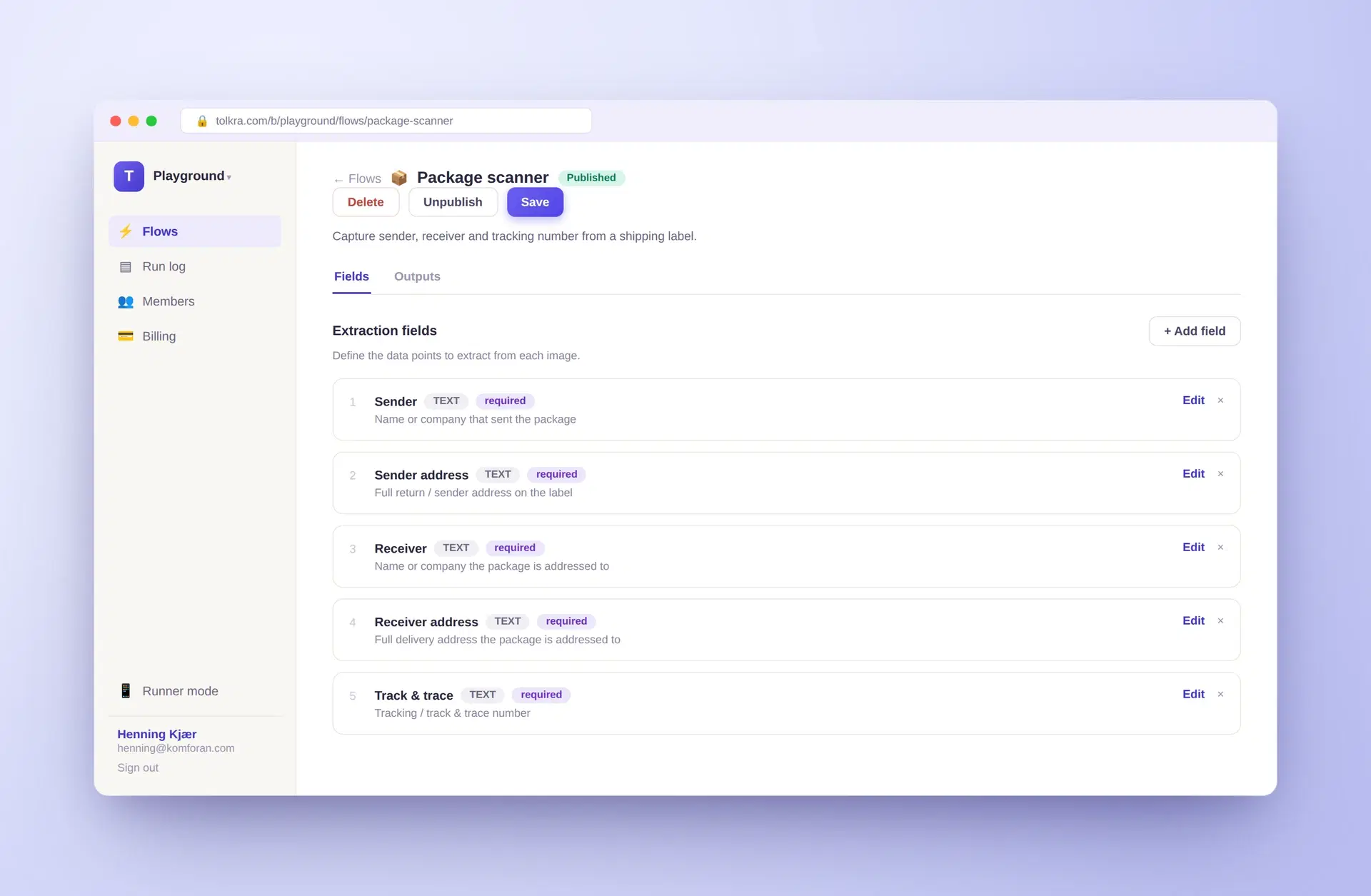
A flow is a named, ordered list of extraction fields. Each field has a label, a type and a plain-language description of what to look for — "Sender: name or company that sent the package" — and can be marked required. That description is the whole interface to the model: you are writing what the value means, not where it sits.
That distinction is the product thesis, and it changes what happens when a document changes. A coordinate template has to be rebuilt by hand. A flow that describes intent keeps working, because a vision model reads the page the way a person does rather than by pixel position.
Not only documents
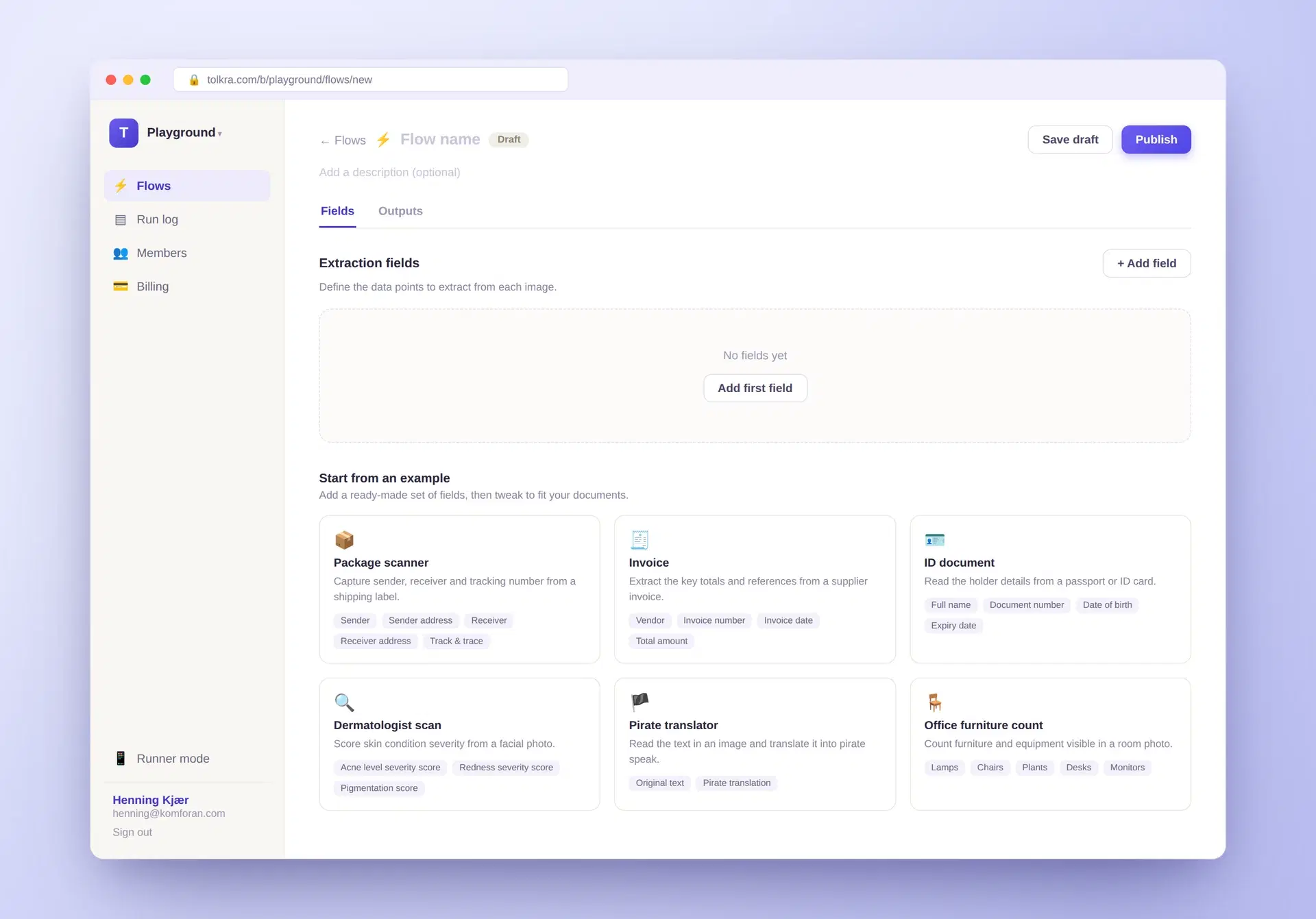
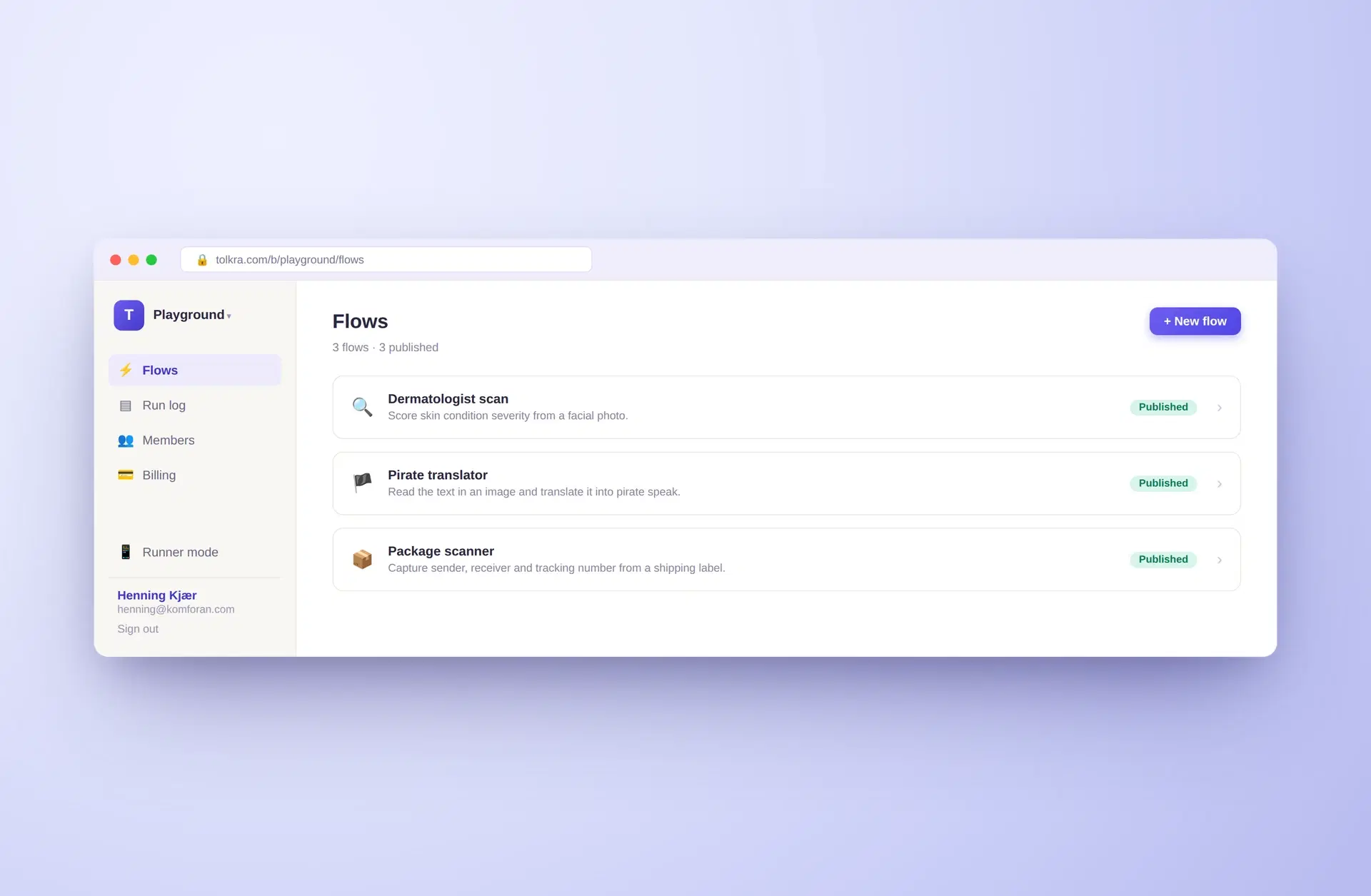
Nothing in that design is specific to paperwork. The same field-and-description mechanism works on any image where the answer is visible, and the shipped starting templates make the range obvious: alongside shipping labels, invoices and ID documents there is a dermatology flow that scores skin condition severity from a facial photo, and one that counts furniture and equipment in a room photo.
Documents are the primary use case because that is where the manual re-keying is, but the underlying product is closer to "turn any photo into the fields you asked for".
A builder and a runner, deliberately separated
Tolkra splits into two interfaces for two different jobs. The builder is a desktop workspace where someone defines flows, edits fields, and publishes; flows carry a draft and published state, so a half-finished flow is never exposed to the people using it.
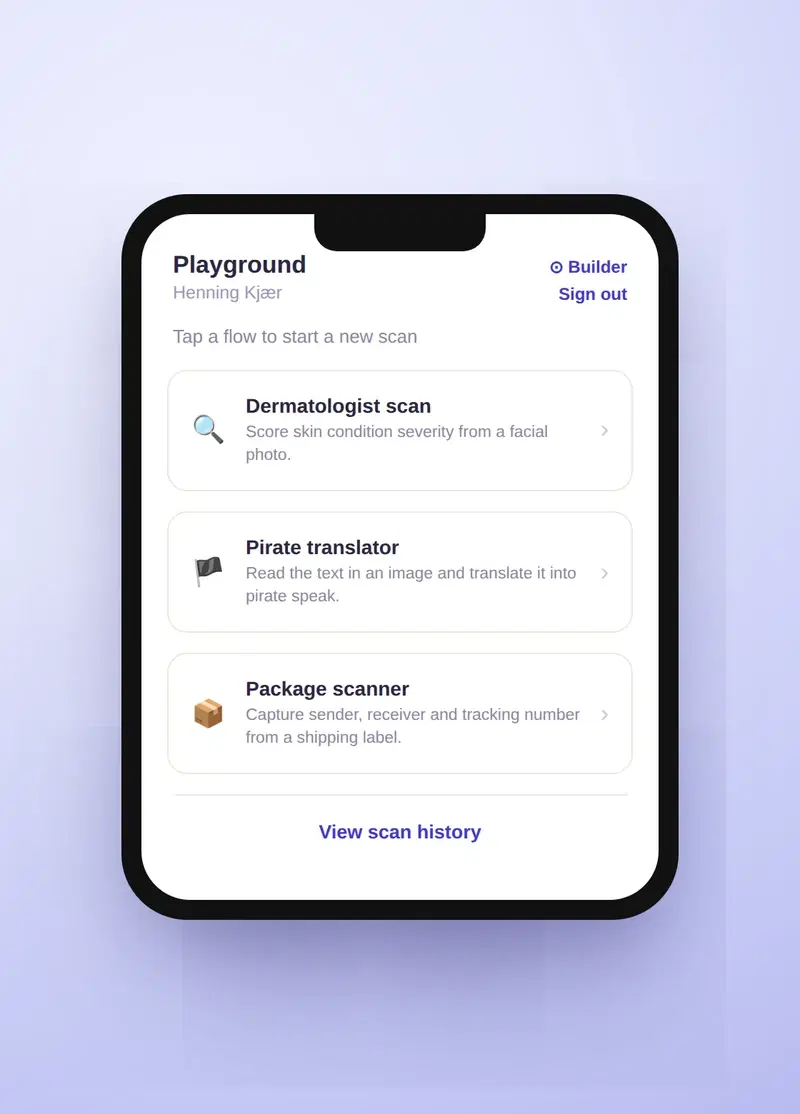
Runner mode is the other half: a stripped-back mobile view that lists the published flows and says "tap a flow to start a new scan". No field editing, no settings, no way to break anything — just the flows and the scan history.
That separation matters because the two audiences are genuinely different. The person designing an extraction flow is thinking carefully at a desk. The person running it is standing in a warehouse aisle, on a loading dock or in a van, with the document in one hand and a phone in the other. Giving them the same interface would compromise both.
To shorten the first step further, a new flow can start from a ready-made template and be adjusted, rather than from an empty list of fields.
Why AWS Bedrock
Extraction runs on vision models through AWS Bedrock rather than a third-party document-AI subscription. That keeps inference inside the same AWS account as the rest of the deployment, so the product is one thing to operate, secure and bill — not an application plus an external data-processing vendor with its own contract and its own data-residency questions.
For documents that routinely carry commercial terms, prices and customer details, where the data goes is not a minor implementation detail. It is usually the first question a buyer asks, and having a single answer to it is worth a great deal.
The other reason is that it keeps the model itself replaceable. Bedrock puts a range of vision models behind one interface, so which model does the reading is a configuration decision rather than a rewrite. In a field where a materially better model lands every few months, that is the difference between upgrading and re-integrating — and it means the accuracy of a flow you built last year can improve without you touching it.
The pipeline shape was not invented here either. We had already exercised the same vision-AI approach on MockyMe, a free consumer app with no commercial exposure, which is a considerably better place to find out how these models behave than a customer's invoices.
Every run is inspectable
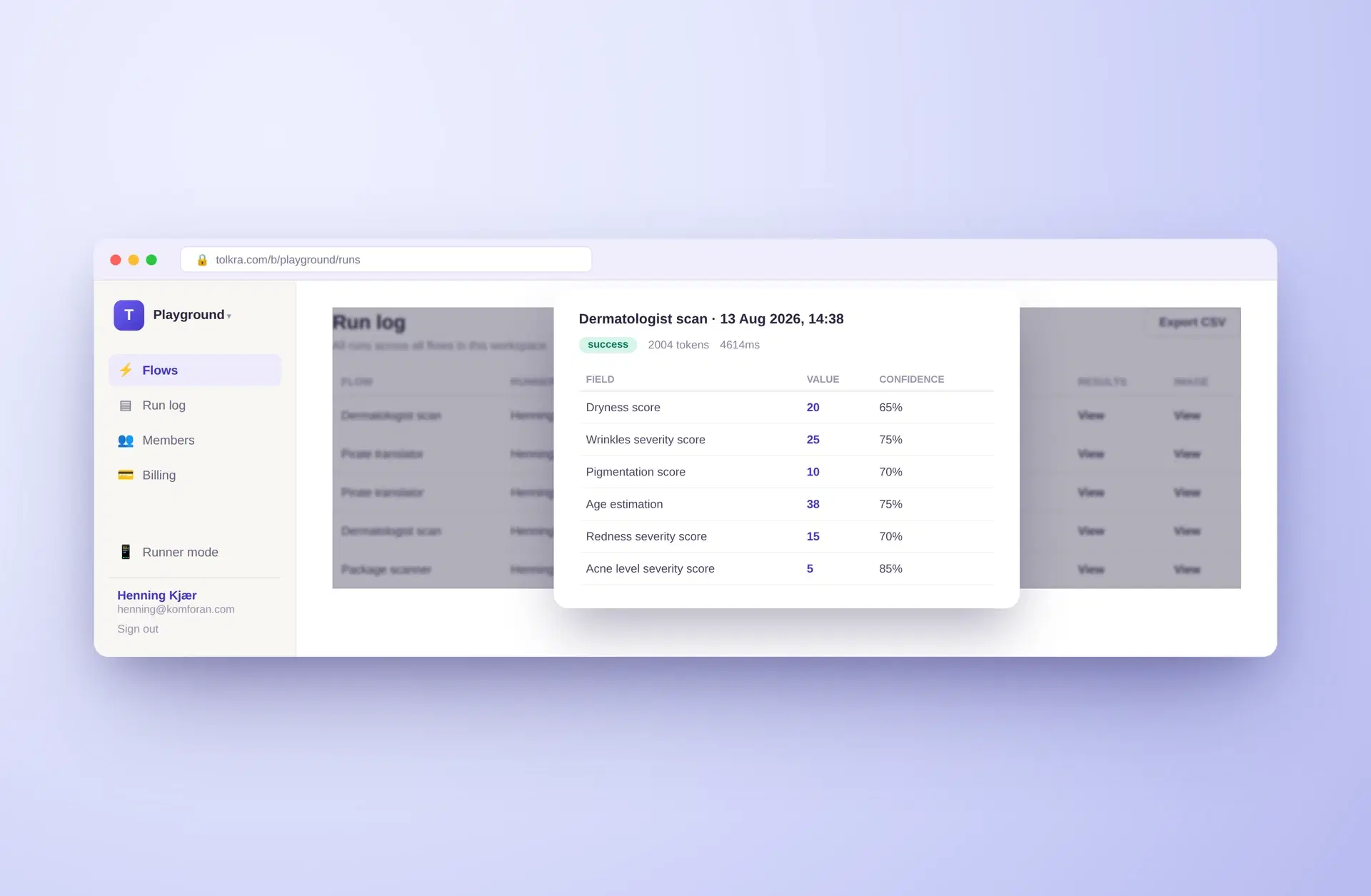
Extraction that you cannot audit is not much use, so every scan lands in a run log covering all flows in the workspace. Each run records which flow produced it, who ran it, whether it succeeded, how long it took, and the image it came from.
Open a run and you get the extracted fields with a confidence figure against each one. That per-field confidence is the difference between a demo and something operable: it lets a team route the uncertain results to a human and let the rest through, instead of either trusting everything or checking everything. Results export to CSV, so the data can leave the tool and go wherever it was always headed.
Token counts and durations sit alongside them. Pricing is a flat fee with a run allowance rather than per-token billing, so these are not a meter anyone is being charged against — they are there so that nothing about a run is hidden. It is the same instinct as the confidence scores: show the workings rather than hand back an answer and ask to be trusted on it.
What is live today
Tolkra runs as a multi-tenant product with workspaces, member management and billing, and is publicly available with a free tier of twenty extraction runs a month. That threshold is set to be genuinely useful rather than decorative: it is enough to run your own real documents through it and judge the output, instead of a single demo file chosen to flatter the model.
The result is a reusable extraction flow that turns everyday photos into clean, structured data, with no manual re-keying and no fragile OCR templates to maintain. It is the kind of narrow, well-defined AI feature that is genuinely useful in production — which is the sort of thing we build for clients too.
In production
Tolkra is the product the readiness review was shaped by. It runs as a paid service for many customers at once, with workspaces, members, billing and a free tier, and in its first month on the open internet a stranger used a feature exactly as it had been built to send scam email from our domain. Nobody broke in. The fix, the four related holes it uncovered, and the migration that nearly caused an outage of its own are written up on the blog, because that is the day most apps built fast are heading for.
Since then every operation that takes an identifier establishes who is asking on the server, customer data is walled off in the database itself, and limits are counted where they cannot be skipped. Those three rules are now the spine of every review we do.
Highlights
- Define-once extraction flows
- Works from any phone camera
- Structured data in seconds
Everything we check on your web app, we have had to get right on these. See how the readiness review and launch work, or what each day costs.